Technical SEO Audit: Our Checklist for Every Client
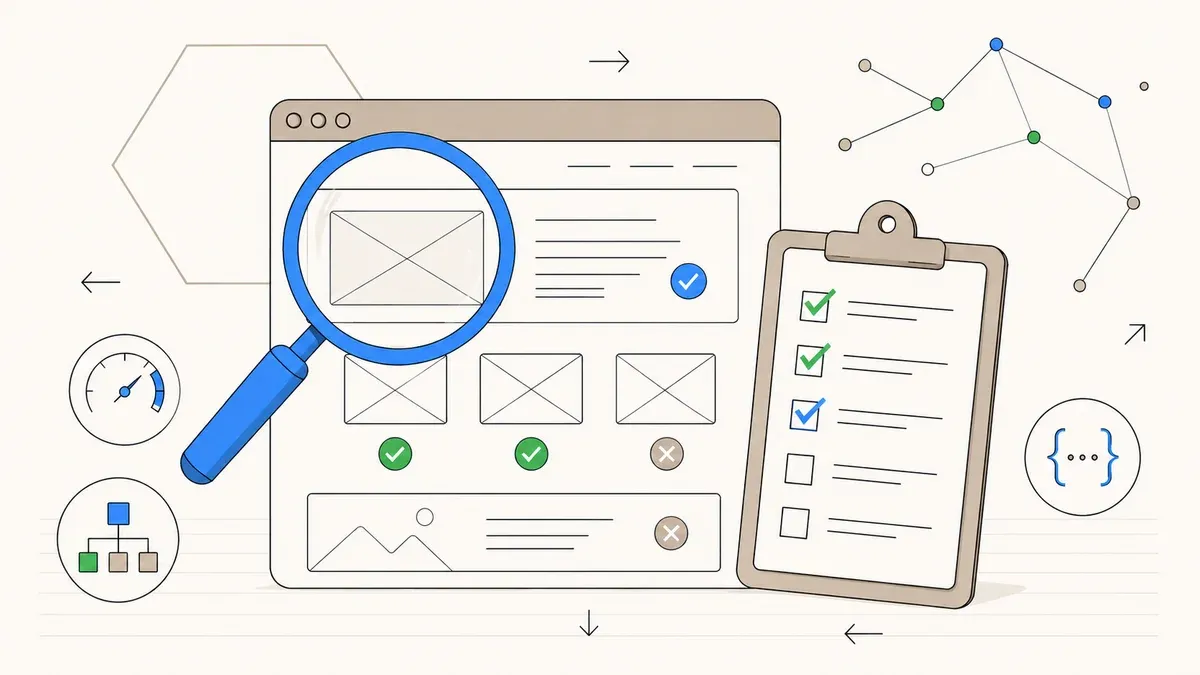
72% of all websites fail at least one critical technical SEO factor. Core Web Vitals, crawlability, indexing, structured data, and page speed – the complete audit checklist we run for every client.
Every client who starts an SEO project with us gets a technical SEO audit first. Not as an upsell, not as an add-on. Because technical issues block everything that follows. The best content strategy is worthless if Google cannot crawl your pages. The strongest backlinks fizzle out if your load time sits at 6 seconds.
We have refined this checklist across dozens of client projects. In this article, you get the complete list: every checkpoint, the most common mistakes, and the tools we use for each one. Use it to run your own audit or to understand what we check on your site.
72 % of all websites fail at technical SEO
critical tech SEO factor
on mobile devices
after technical audit
1. Crawlability: Can Google find your pages?
Before you think about rankings, Google needs to find and crawl your pages. That sounds obvious, but it goes wrong on a regular basis.
Check robots.txt. The most common mistake we see: a Disallow: / left over from the staging environment that was never removed at launch. Your entire site is blocked for search engines, and you only notice weeks later when traffic drops off a cliff. Open yourdomain.com/robots.txt in your browser and verify that no important directories are blocked.
XML sitemap present? Your sitemap must be submitted in Google Search Console and contain all indexable URLs. No 404s, no redirected URLs, no noindex pages. A sitemap is not a ranking factor, but it speeds up indexation of new content and helps Google understand your site structure.
Do not waste crawl budget. On enterprise sites, 47 % of crawl budget is wasted on parameter URLs according to Oncrawl: filter variations, session IDs, sorting options. For most SMB websites, crawl budget is not an issue. But if you run a shop with thousands of filter combinations, you should consolidate parameter URLs via canonicals or robots.txt.
Find orphan pages. Pages with zero internal links pointing to them get crawled poorly or not at all. Screaming Frog shows you orphan pages in a few clicks. Every page you want to rank needs at least one internal link from a topically relevant page.
2. Indexation: What ends up in Google's index?
Crawled does not mean indexed. Google decides on its own which pages make it into the index. Your job: ensure the right pages get indexed and the wrong ones stay out.
Check canonical tags. Canonical adoption across the industry sits at just 67 %. That means one third of all websites set canonicals incorrectly or not at all. A wrong canonical redirects the entire authority of a page to a different URL. Check every important page to verify that its canonical points to itself and not accidentally to another version.
Identify duplicate content. URL variants with and without trailing slash, with and without www, HTTP and HTTPS: each combination can create a separate version of your page. Canonicals fix this technically. Redirects (301) fix it more cleanly. Check with site:yourdomain.com in Google whether pages appear that should not be in the index.
hreflang for multilingual sites. If you serve content in multiple languages, you need hreflang tags. Without them, Google may show German users the English version and vice versa. hreflang must be bidirectional: page A references page B and page B references page A. Errors here are hard to debug because Google does not report hreflang problems in Search Console.
Avoid index bloat. Tag archives, author pages with a single post, empty category pages: all of this inflates your index without adding value. Set noindex on pages that do not serve a standalone search intent.
3. Core Web Vitals: The performance metrics Google measures
Since 2021, Core Web Vitals have been a ranking factor. Google measures three values based on real user data (field data, 75th percentile). As of 2025, only 48 % of mobile and 56 % of desktop pages pass all three thresholds.
LCP (Largest Contentful Paint) < 2.5 seconds. The hardest value to hit. LCP measures when the largest visible element in the viewport has loaded. Usually that is a hero image or a large text heading. 38 % of all pages fail here. The most common causes: unoptimized images, slow hosting with high TTFB, and render-blocking CSS/JavaScript.
INP (Interaction to Next Paint) < 200 ms. Since March 2024, INP replaces the old FID metric. INP measures the response time to user interactions: clicks, taps, keyboard inputs. Heavy JavaScript, long main-thread blockages, and too many event listeners are the typical problem sources.
CLS (Cumulative Layout Shift) < 0.1. CLS measures how much elements on the page shift while it loads. Images without width/height attributes, late-loading web fonts, and dynamically injected ad banners are the main culprits. Set width and height on all images and use font-display: swap for web fonts.
4. Site architecture: Click depth and internal linking
Google follows links. Your internal linking structure determines which pages receive how much authority and how quickly Google discovers new content.
Maximum 3 clicks deep. Every important page should be reachable from the homepage in a maximum of three clicks. Pages buried five or six clicks deep get crawled less frequently and rank worse. Screaming Frog shows you the click depth of every URL in your crawl.
Flat hierarchy over deep nesting. Good site architecture looks like this: homepage → category page → individual page. Not: homepage → section → subsection → category → subcategory → individual page. The flatter the hierarchy, the more evenly link authority distributes.
Breadcrumbs with BreadcrumbList schema. Breadcrumbs help users and Google with orientation. When you mark them up with BreadcrumbList schema, Google displays the breadcrumb hierarchy in search results. This improves CTR and signals your site structure to Google.
Internal links with descriptive anchor text. "Click here" and "Learn more" tell Google nothing about the target page. Use anchor text that describes the topic of the linked page. For example, if you link to local SEO for tradespeople, use exactly that as your anchor text.
5. Mobile-first: Google crawls mobile first
Since October 2023, Google has completed mobile-first indexing for all websites. The Googlebot Smartphone is the primary crawler. This means: the mobile version of your page is the version Google evaluates.
Check responsive design. Test your pages across different screen sizes. Chrome DevTools with device presets is enough for an initial check. Watch for: text that extends beyond the viewport. Buttons that are too small to tap. Horizontal scrolling. Images that break out of their container.
Mobile content = desktop content. If you hide content on the mobile version (via display: none or accordions), Google may not index that content or may weight it lower. Since mobile-first, mobile content counts. Everything you want to rank must be visible on mobile.
Touch targets and font size. Google recommends touch targets of at least 48 x 48 pixels and a base font size of 16 px. Links placed too close together and text that is unreadable on a smartphone are negative signals.
6. HTTPS and security headers
HTTPS has been a ranking factor since 2014. That is well known. Less known: an SSL certificate alone is not enough. The configuration around it must be correct.
Eliminate mixed content. Your page loads via HTTPS, but individual resources (images, scripts, stylesheets) load via HTTP. The browser shows a warning, Google treats it as an insecure page. Chrome DevTools (Console) shows you mixed content warnings. Replace all HTTP references with HTTPS.
Enable HSTS. HTTP Strict Transport Security forces the browser to always load your site via HTTPS. Without HSTS, an attacker can intercept the first HTTP request before the redirect to HTTPS kicks in. Most hosts offer HSTS as a one-click option. If you want to learn more about performance and security architecture, read our headless WordPress article.
Set security headers. Correct security headers reduce the attack surface by 60 to 80 %. The most important ones: X-Content-Type-Options: nosniff, X-Frame-Options: DENY, Content-Security-Policy, and Referrer-Policy. Test your headers at securityheaders.com.
7. Structured data: Machines read JSON-LD
Structured data helps Google understand the content of your pages. Pages with schema markup achieve a 35 % higher CTR in search results according to studies. JSON-LD is the only format recommended by Google.
Which schema types matter for SMBs:
- Organization: Name, logo, social media profiles, contact details. Belongs on every website.
- BreadcrumbList: Breadcrumb navigation as schema. Improves how your pages appear in SERPs.
- Article: For blog posts and news articles. Headline, author, datePublished, dateModified.
- Product: For shops. Price, availability, reviews.
A note on FAQ schema: since May 2026, Google only shows FAQ rich results for government and health websites. For everyone else, implementation is no longer worthwhile.
Structured data is becoming increasingly relevant for visibility in AI search engines. If you are building your GAIO strategy, clean schema markup is the foundation for AI systems to correctly attribute your content.
Test your markup with the Google Rich Results Test. Faulty or incomplete schemas do not directly harm you, but you are leaving potential on the table.
8. Page speed: Images, fonts, and JavaScript
Core Web Vitals measure the outcome. Page speed optimization is the lever. Here are the measures with the biggest impact:
Images: WebP or AVIF instead of PNG/JPEG. WebP saves 25 to 35 % file size at the same quality. AVIF saves even more but is not yet supported by all browsers. Use the <picture> element with AVIF as the first source and WebP as a fallback. Set loading="lazy" on all images that are not visible in the initial viewport.
Web fonts: font-display: swap. Without this declaration, the browser blocks rendering until the font file has loaded. This worsens LCP and FCP. With swap, the browser immediately shows a fallback font and swaps it once the web font is ready. Load a maximum of two font weights (regular and bold) and use font-subsetting to load only the characters you need.
Minify CSS and JavaScript. Minification removes whitespace, comments, and unnecessary characters. This saves 15 to 20 % file size for CSS and 20 to 30 % for JavaScript. Load JavaScript with defer or async to avoid render blocking. Remove unused CSS with tools like PurgeCSS.
TTFB (Time to First Byte). TTFB depends on hosting. Shared hosting vs. managed vs. VPS: the differences are measurable. A TTFB under 200 ms is good, under 100 ms is excellent. If your TTFB exceeds 600 ms, no amount of image optimization will help.
9. Our audit tools at a glance
You do not need five paid tools for a complete technical SEO audit. With the right combination, you can cover everything. Here are the tools we use on every audit:
| Tool | Checks | Free? |
|---|---|---|
| Google Search Console | Indexation, crawl errors, Core Web Vitals (field data), hreflang | Yes |
| PageSpeed Insights | Core Web Vitals (lab + field), performance score, optimization suggestions | Yes |
| Lighthouse (Chrome) | Performance, accessibility, best practices, SEO basics | Yes |
| Rich Results Test | Structured data, schema validation, rich result preview | Yes |
| Screaming Frog | Crawl analysis, broken links, canonicals, click depth, orphan pages | Up to 500 URLs |
| Ahrefs / Semrush | Site audit, backlink analysis, keyword monitoring, competitor comparison | No |
Our tip: start with Google Search Console. It shows you the most critical problems first: indexation errors, crawl issues, CWV values. PageSpeed Insights provides the detailed analysis for individual URLs. Screaming Frog gives you the complete overview of all technical aspects of your site.
10. Conclusion: Technical foundation first
A technical SEO audit is not a one-time project. Every theme update, every new plugin, every server migration can introduce technical problems. We recommend our clients check the core points quarterly: crawl errors in Search Console, Core Web Vitals, indexation status.
The order matters: technical foundation first, then content, then links. If you reverse this sequence, you invest budget in content that Google cannot find and in backlinks that point to slow pages.
If you go through this checklist and feel uncertain on more than two points, talk to us. We run this audit for every client and know the typical pitfalls for SMB websites.
Technical SEO audit for your website?
We check crawlability, indexation, Core Web Vitals, structured data, and page speed. You get a clear report with prioritized action items.
Free initial consultation →