WordPress Security 2026: The 5 Most Common Attack Vectors
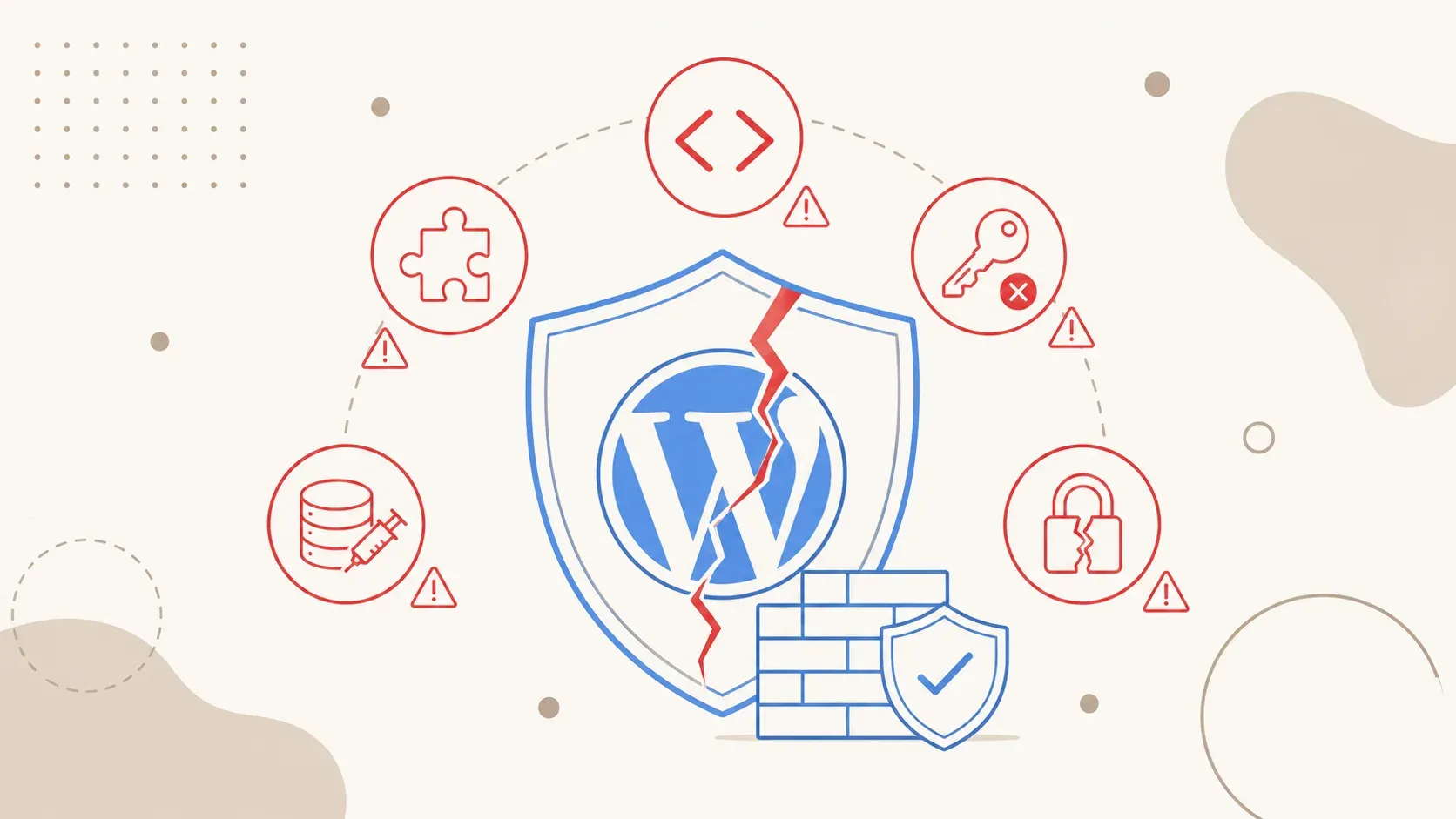
11,334 new vulnerabilities, 5 hours to mass exploit, 91% in plugins. The five most common attack vectors targeting WordPress sites in 2026 and what you can do about them.
11,334 new vulnerabilities in the WordPress ecosystem in 2025. That's 42% more than the previous year. Every day, 13,000 WordPress sites get hacked – one every 22 minutes. And the median time from vulnerability disclosure to the first mass exploit is five hours.
The threat landscape has changed. Attacks are faster, more broadly automated and target gaps that many site owners don't have on their radar. This article walks you through the five most common attack vectors in 2026, explains the mechanics behind them and gives you concrete countermeasures. If you want to know what happens when you put off updates too long, we've covered that separately – the two topics are directly connected.
WordPress under fire.
11,334 new vulnerabilities in one year.
than 2024
to mass exploit
worldwide
WordPress 2026 – why the threat level is escalating
WordPress powers over 40% of all websites on the internet. That makes it the most profitable target for automated attacks. The combination of a massive install base, an open plugin ecosystem and many site owners without technical know-how is ideal for attackers.
Three developments are driving the escalation in 2026:
Speed. The median time from vulnerability disclosure to the first automated exploit is five hours. If you don't patch within that window, you're exposed. Manual updates once a week are no longer enough. Professional WordPress maintenance responds to critical patches within hours – not days.
Automation. 97% of all brute-force attacks on WordPress are fully automated. These aren't targeted attacks on your site. These are bots scanning hundreds of thousands of installations simultaneously. 65 million brute-force attempts per day – measured by Wordfence alone.
Plugin sprawl. 91% of all vulnerabilities are in plugins. Only six vulnerabilities were found in WordPress Core in 2025. The plugin ecosystem with over 60,000 extensions is the actual attack surface – and 52% of plugin developers knew about the vulnerabilities in their code and still didn't fix them.
Attack vector 1 – Insecure plugins as the entry point
91% of all WordPress vulnerabilities in 2025 came from plugins. Not from Core, not from themes – from plugins. That's by far the largest attack surface.
The problem has multiple layers. Many plugins are maintained by individuals or small teams. When interest fades or a developer quits, the code stays put – but the installation keeps running. Abandoned plugins are ticking time bombs.
Then there are supply-chain attacks. Attackers buy popular plugins with large install bases, inject malicious code into a regular update and distribute it through the official WordPress channel. The user installs the update in good faith – and infects themselves.
46% of all vulnerabilities had no patch at the time of disclosure. That means: you can't patch even if you react immediately. The only option then is to deactivate the plugin or replace it with a secure alternative.
Countermeasures:
- Keep your plugin count minimal. Every plugin is a potential entry point.
- Check before installing: when the last update was, how many active installations, whether there are known CVEs.
- Remove plugins that haven't received an update in over six months.
- Use monitoring that alerts you immediately when new CVEs affect your installed plugins.
Attack vector 2 – Cross-Site Scripting (XSS)
XSS is the most common vulnerability type in the WordPress ecosystem. Depending on the source, XSS vulnerabilities account for between 35 and 48% of all reported vulnerabilities. The mechanics: an attacker injects malicious JavaScript code into a web page, which then executes in other users' browsers.
There are two main variants. Reflected XSS happens when input from a URL or form is reflected back into the page unfiltered. The attacker sends a manipulated link – when a user clicks it, the code executes in their browser session. Stored XSS is more dangerous: the malicious code is stored in the database (e.g. in a comment, a profile field or a plugin setting) and served on every page load.
43% of all WordPress vulnerabilities can be exploited without authentication. For XSS, that means: an attacker needs no login, no admin access – a manipulated input field or a compromised contact form is enough.
Countermeasures:
- Keep all plugins and themes up to date. XSS fixes are the most common patch category.
- Set Content-Security-Policy headers (CSP) that restrict inline scripts.
- Use a Web Application Firewall (WAF) that filters known XSS patterns.
- Disable HTML in comments if you don't need it.
Attack vector 3 – Brute force and AI-powered credential stuffing
65 million brute-force attacks per day are registered by Wordfence alone. 97% of them are fully automated. These bots systematically test username-password combinations against the WordPress login page – /wp-admin/ and /wp-login.php.
Credential stuffing goes a step further. Attackers use lists from data breaches on other platforms. If you use the same password for your email account and your WordPress login, a single breach is enough. The bot tries the combination on thousands of WordPress sites simultaneously.
2026 adds a new dimension: AI-powered attacks. Bots use machine-learning models to generate likely passwords based on publicly available information – company name, founding year, employee names, locations. The hit rate is increasing.
Countermeasures:
- Enable two-factor authentication (2FA) for all admin accounts. This blocks 99% of all credential-stuffing attacks.
- Change the default username "admin".
- Set login rate limiting: after five failed attempts, the IP gets temporarily blocked.
- Use passwords with at least 16 characters from a password manager.
Attack vector 4 – SQL injection
SQL injection (SQLi) is one of the oldest attack methods on the web – and it's as relevant in 2026 as ever. In a SQL injection, an attacker smuggles SQL commands through input fields, URL parameters or API endpoints into database queries. The consequences range from data theft to manipulation to complete site takeover.
CVE-2026-3985 is a current example: an unauthenticated SQL injection vulnerability with a CVSS score of 9.3 (critical). No login, no special permissions – a single HTTP request is enough to read or modify the entire database.
WordPress stores everything in a MySQL database: posts, pages, user accounts, password hashes, plugin settings, WooCommerce orders. A successful SQL injection gives the attacker access to all of it.
Countermeasures:
- Only use plugins that use prepared statements for database queries.
- Keep your database credentials strictly separated – a dedicated DB user per installation with minimal permissions.
- Deploy a WAF with SQL injection rule sets.
- Your hosting setup plays a role here: a VPS with an isolated database offers more protection than shared hosting, where neighboring accounts potentially have access to your DB.
Attack vector 5 – Authentication bypass and CSRF
Authentication bypass means: an attacker completely circumvents the login check and gains admin rights without valid credentials. CVE-2026-8181 is an example from this year – CVSS 9.8 (the maximum is 10.0). A single API call was enough to authenticate as an administrator.
CSRF (Cross-Site Request Forgery) works differently: here the attacker tricks an already logged-in admin into performing an action without realizing it. Typical scenario: you click a link in an email or on an external site. In the background, a request is sent to your WordPress installation – using your active session.
This makes these attacks particularly hard to detect. There's no failed login, no brute-force alarm. The attacker is in – as if they were you.
Countermeasures:
- Keep WordPress Core on the latest version at all times. Authentication bypass in Core gets patched within hours.
- Enable log monitoring for admin actions: new users, plugin installations, settings changes.
- Set session timeout short: 15 minutes of inactivity = automatic logout.
- If you've already been compromised, fast action is critical. Our website repair service can help in such cases.
5-point checklist for your WordPress security
1. Apply updates within 24 hours. Core, plugins, themes. Enable automatic updates for security patches. With a 5-hour median exploitation time, "next week" is too late. In our article on the cost of ignoring updates, we break down what delays cost in concrete terms.
2. Plugin audit every 90 days. Check every installed plugin: is it still maintained? Are there known vulnerabilities? Do you even still need it? Deactivate and delete everything you're not actively using.
3. Enforce 2FA and strong passwords. For every account with admin or editor permissions. No login without a second factor. This alone eliminates the brute-force vector almost completely.
4. Daily backups with an offsite copy. A backup on the same server as your website is not a backup. Store at least one copy externally. Professional hosting with automatic offsite backups saves you days of recovery work when things go wrong.
5. Enable WAF and monitoring. A Web Application Firewall filters known attack patterns before they reach your site. Monitoring alerts you to suspicious activity – new admin accounts, file changes, unusual login patterns.
If the technical implementation is too much to handle: that's what professional WordPress maintenance is for. We take care of updates, monitoring, backups and security hardening – so you can focus on your business.
Hand your WordPress security to professionals?
Updates, monitoring, backups, WAF setup – we lock down your site. 30-minute consultation, free.
Request security check →