AI Chatbot for WooCommerce: Automate Order Status, Product Questions & Support
An FAQ bot guesses. An AI chatbot connected to the WooCommerce REST API knows live data: order status, stock, variants. Costs, plugin vs. custom, GDPR.
Most chatbots in online stores are a better FAQ page with a speech bubble. They know a handful of predefined answers and forward everything else to a contact form. A customer who wants to know whether their parcel has shipped, or whether a product is still in stock in size L, gets no answer from that kind of bot. They get a queue.
An AI chatbot connected directly to your WooCommerce store works differently. It reads stock levels, the shipping status of an order and product attributes in real time through the WooCommerce REST API, and answers exactly the questions that fill your support inbox today. This article shows what such a bot needs to do technically, how it differs from plugin and SaaS solutions, what it costs and what you need to watch for on data protection.
In short
- The difference: a normal FAQ bot guesses. An AI chatbot connected to the WooCommerce REST API knows live data: stock levels, order status, product variants, prices.
- What can be automated: around 80% of recurring service requests, above all "Where is my order?", "Is this still available?" and questions about shipping and returns.
- The cost: a classic service request costs 6 to 12 euros, one answered by the AI bot under 0.50 euros. A custom bot runs roughly 1,990 to 6,990 euros to build.
- Three routes: ready-made plugin (cheap, but no live data), SaaS tool (mid-range, data at the provider) or custom bot with RAG and API access (highest value, your own data sovereignty).
- GDPR: from 2 August 2026 the EU AI Act requires chatbots to be labelled as AI. Where the data sits decides your legal certainty.
A service request costs 6 to 12 euros. Via AI bot, under 0.50 euros
vs €6–12 manual (Juniper)
automatable (industry figure)
for chatbots through 2029
Why most WooCommerce chatbots are useless
The bulk of the bots you see in stores are built on decision trees or a static knowledge base. They work as long as the customer asks one of the foreseen questions. The moment it gets specific, about a particular order, a current stock level or a product variant, they fall over. The reason is always the same: the bot has no access to the data sitting in your store.
That is the expensive part. According to Salesforce, 83% of customers expect an immediate response when shopping online. If they get a form answered within 24 hours instead, many leave or buy elsewhere. The most frequent requests are also the ones a human in support finds the most tedious: tracking, delivery time, availability. A bot that answers these from live data takes the load off your team exactly where it loses the most time.
The decisive difference: live data via the WooCommerce REST API
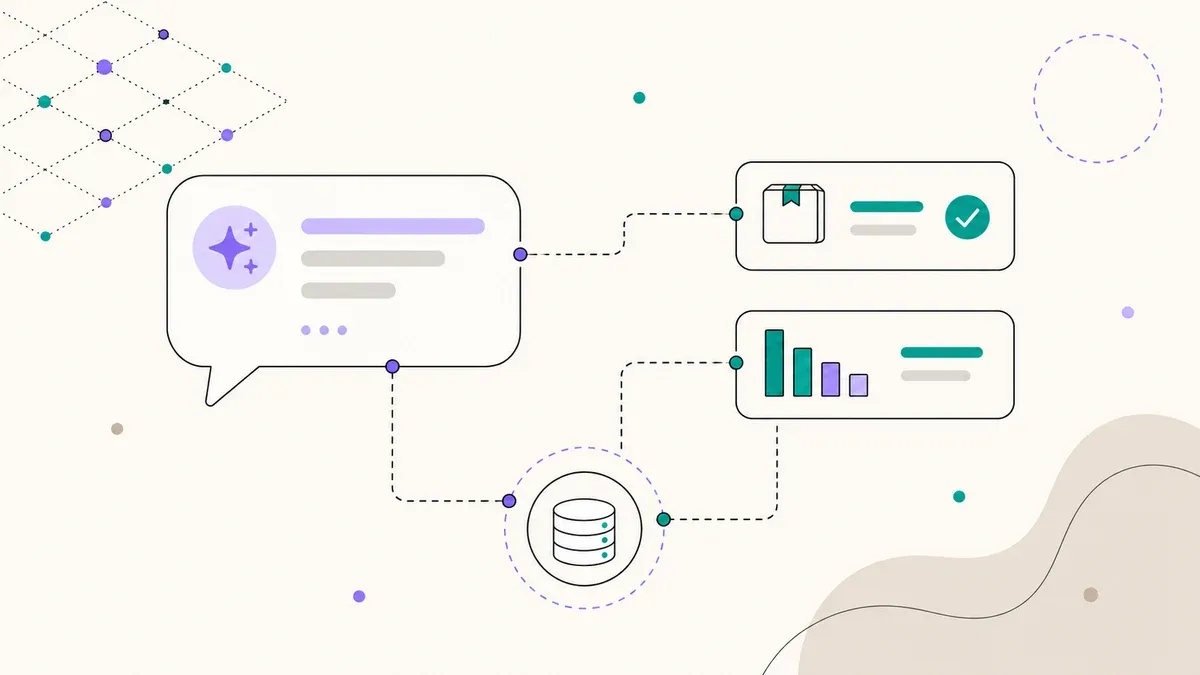
WooCommerce ships with a complete REST API. Through it, an external application with the right keys can query exactly the data your customers care about: products including stock and variants, individual orders with their current status, shipping information. A well-built AI chatbot uses this interface to give a real, current answer to a real customer question.
A simplified example: if a customer asks about the status of their order number 1284, the bot calls the matching REST API endpoint in the background and gets structured data back.
GET /wp-json/wc/v3/orders/1284

{
  "id": 1284,
  "status": "completed",
  "date_completed": "2026-06-18T09:14:22",
  "shipping_lines": [
    { "method_title": "DHL Parcel", "tracking": "00340..." }
  ],
  "line_items": [
    { "name": "Yoga Mat Pro", "quantity": 1 }
  ]
}
From this structured result the language model phrases a natural answer: "Your order for the Yoga Mat Pro has been on its way since 18 June, shipped with DHL. Here is your tracking number." The same principle applies to availability. If someone asks whether a product is available in a specific variant, the bot checks the product-variations endpoint and states the current stock instead of pointing to a possibly outdated category page.
To keep this safe, the bot gets its own API key with restricted rights, ideally read-only. That way it can query orders and products but change nothing. The combination of language model and live data access is the core of what we build at zenku as bespoke AI tools and custom tools.
Plugin, SaaS or custom bot: the decision matrix
There are three fundamental routes to a WooCommerce chatbot, and they differ sharply in price, data sovereignty and what is ultimately possible.
| Criterion | Ready-made plugin | SaaS tool | Custom bot (RAG + API) |
|---|---|---|---|
| Cost | €0–30/month | €50–500/month | €1,990–6,990 once, low running cost |
| Live data (stock, status) | Rarely to never | Partly, often extra | Yes, via REST API |
| Where does the data sit? | Varies | At the provider, often US | With you or an EU model of your choice |
| Your own content (product copy, FAQ) | Limited | Yes, in the provider system | Yes, via RAG from your sources |
| Customisability | Low | Medium | High |
| Suits | Small stores, simple FAQ | Mid-size stores, fast rollout | Stores with high support load and privacy needs |
The rule of thumb: for a small store with few requests, a plugin works as an FAQ helper. As soon as your support load becomes noticeable or you value data sovereignty, the custom bot pays off. It is the only variant that reliably uses your live data and keeps your data where you want it. If you are still unsure whether a chatbot makes sense for your business at all, we ran through that with a worked example in When an AI chatbot pays off.
What RAG means and why it makes the difference
RAG stands for Retrieval Augmented Generation. The principle: instead of the language model answering from its general training and occasionally making things up, it is given the relevant excerpts from your own sources for every question first: product descriptions, shipping and return terms, FAQs, guide content. The model then answers solely on the basis of that content.
For a store this means two things. First, the bot answers with your actual terms rather than invented ones. Second, its answers can be updated by changing the source, not by reprogramming the bot. Combined with live access through the REST API, the result is an assistant that knows both your knowledge and your current store state.
What does a WooCommerce chatbot really cost?
The sharper question is what the missing bot costs you. A manually handled service request runs 6 to 12 euros depending on complexity, counted in staff time. A request answered by the AI bot usually costs under 0.50 euros including model and operating cost. For a store with a few hundred requests a month, the build often pays for itself within a few months.
Cost per answered service request. Staff-cost source: Juniper Research via demandsage.com.
For building a bespoke bot with RAG and API access, budget roughly 1,990 to 6,990 euros depending on scope. The lower end covers a focused bot with FAQ knowledge and order status, the upper end an assistant that also handles product advice, variants and multilingual answers. Running costs consist of model usage and hosting and stay in the low double digits per month for most SMB stores.
Case study: the VivereBot
For our client Vivere Vital, a provider of health and yoga retreats with a WooCommerce store, we built exactly this kind of bot. The VivereBot is connected to the store through the REST API and knows the current availability of each retreat, that is, how many spots are still free on a given date. At the same time it answers, via RAG, the typical pre-booking questions: what is included in the price, how arrival and departure work, which level a retreat suits.
The effect was clear. The recurring pre-sale questions that used to arrive by email and tie up the team are now largely handled by the bot, and the number of qualified enquiries rose by roughly 600% after launch, because prospects can clear up their open points immediately instead of bouncing. The details are in the Vivere Vital chatbot case study.
Which questions can be automated?
As a rough guide: around 80% of incoming service requests in a typical store are recurring and standardisable. These are particularly well suited:
- Order status and tracking – by far the most frequent question, fully answerable from live data.
- Availability and stock – including specific variants like size or colour.
- Shipping and delivery times – cost, duration, destination countries.
- Returns and withdrawal – process, deadlines, refunds.
- Product advice – which variant fits, comparing two products, usage questions.
The remaining 20%, that is complaints, edge cases and anything emotional, still belongs with a human. A good bot recognises this and hands over cleanly instead of blocking. The goal is not to replace support but to free it from blunt repetition. For the bot to answer quickly, your store should be fast too. How to get there is covered in the article on WooCommerce performance optimisation.
GDPR and the EU AI Act: what to watch for
A chatbot processes personal data the moment a customer mentions an order number or their name. Two points are central here. First, data sovereignty: with many SaaS bots the conversations run over servers outside the EU. With a custom bot you can control which model is used and where data is processed, which makes a legally sound setup considerably easier. Closely tied to this is choosing GDPR-compliant hosting for the bot and its database.
Second, the labelling obligation. With the EU AI Act, the transparency requirement under Article 50 takes effect from 2 August 2026: users must be able to tell that they are talking to an AI and not a human. Breaches can be fined up to 15 million euros or 3% of worldwide annual turnover. In practice this means the bot introduces itself as an AI assistant at the start. Anyone planning a chatbot is best advised to build this labelling and a clean consent concept in from the outset, much like with Consent Mode v2 in tracking.
Frequently asked questions
Can a chatbot read the order status from WooCommerce?
Yes, provided it is connected to the WooCommerce REST API. The bot queries the relevant order with a read-only API key and returns status and shipping information in natural language. Plain FAQ plugins without API access cannot do this.
What does an AI chatbot for a WooCommerce store cost?
A bespoke bot with RAG and API access runs roughly 1,990 to 6,990 euros to build, depending on scope. Running costs for model and operation stay in the low double digits per month for most SMB stores. Ready-made plugins start at 0 euros but usually offer no live data.
Is a WooCommerce chatbot GDPR-compliant?
It can be, if data processing happens in the EU, a data processing agreement is in place and the user is informed. From 2 August 2026 the bot must additionally be recognisable as AI. A custom bot with its own data sovereignty is easier to make legally sound than a SaaS tool with servers outside the EU.
Does a chatbot replace my support team?
No. It takes on the roughly 80% recurring standard requests and gives your team time for the cases that need real judgement. A well-built bot hands complaints and edge cases to a human instead of blocking them.
A WooCommerce chatbot that knows your live data
We build you an AI assistant that knows order status and stock via the REST API, uses your content through RAG and runs GDPR-compliant. Clear scope, fixed cost.
Free initial consultation →