GA4 Consent Mode v2: GDPR-Compliant Tracking

~70% data loss without Consent Mode, legal grey area around Advanced Mode, 700-click threshold for modeling. Everything you need to know about Consent Mode v2 – technical, legal, and practical.
Since March 6, 2024, Google requires Consent Mode v2 for every property sending data into the European Economic Area. If you don't set the new parameters, you lose remarketing audiences, conversion data, and increasingly access to Google Signals. This affects every website running GA4 and Google Ads targeting the DACH region. This article covers the technical details, the legal landscape, and a clear implementation guide.
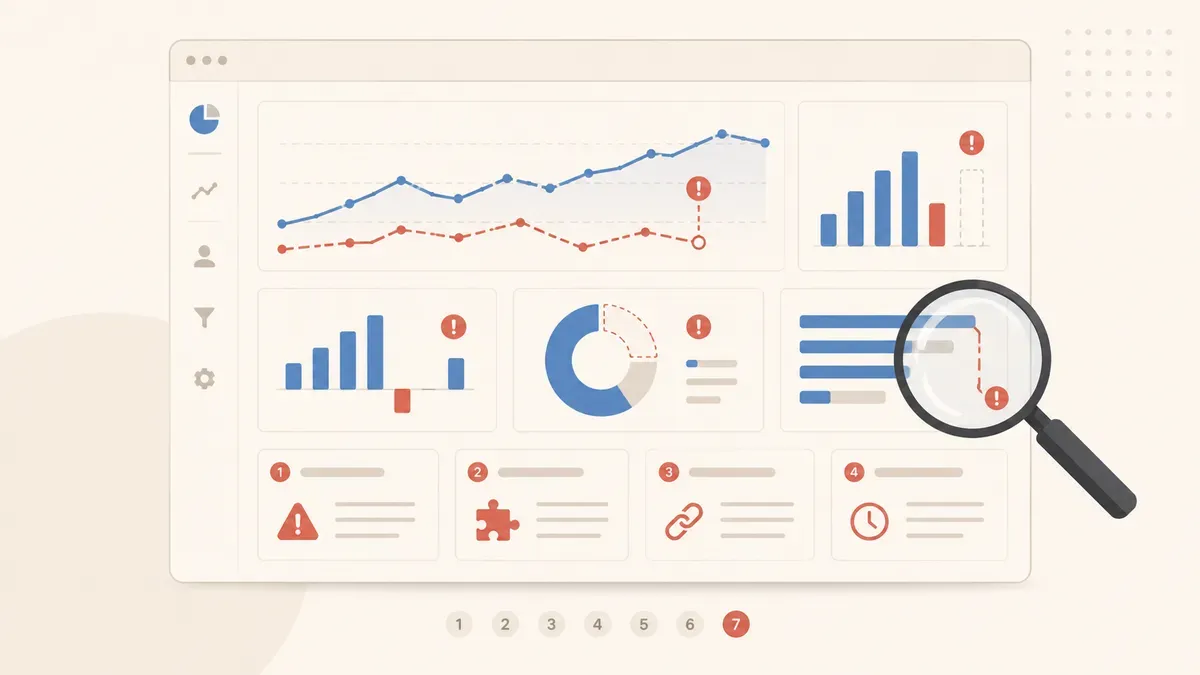
If you've been running GA4 without a proper consent setup, it's worth reviewing the 7 most common tracking mistakes at SMBs first – Consent Mode is mistake number one on that list.
~70% of your data
is lost – without Consent Mode
without Consent Mode
in the DACH region
new ones since 03/2024
What Consent Mode v2 Is and Why Google Enforces It
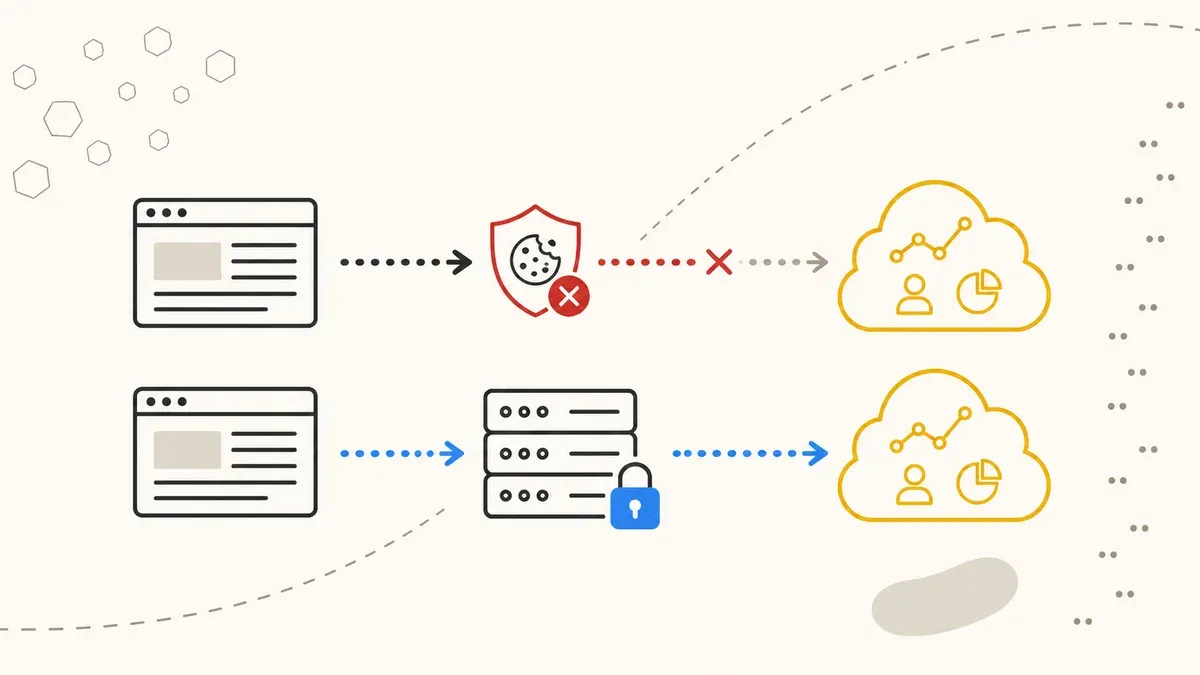
Consent Mode is an API layer between your consent banner and Google tags. Instead of blocking tags entirely or firing them without restriction, Consent Mode tells each tag which categories the user has approved. Google then adjusts its tag behavior dynamically.
Version 1 had two parameters: analytics_storage and ad_storage. Version 2 adds two more: ad_user_data and ad_personalization. Both control whether user-related data can flow to Google's advertising services. Google introduced them to comply with the EU's Digital Markets Act (DMA).
The four parameters at a glance:
| Parameter | Controls | Since |
|---|---|---|
analytics_storage | GA4 cookies (e.g. _ga) | v1 |
ad_storage | Advertising cookies (e.g. _gcl_*) | v1 |
ad_user_data | Transmission of user data to Google Ads | v2 (03/2024) |
ad_personalization | Personalized ads and remarketing | v2 (03/2024) |
All four must default to denied before any tag fires. Under GDPR Article 25 (Privacy by Default) and the German TTDSG Section 25, consent is required before accessing a user's device. Only after active opt-in may the status change to granted.
June 2026 update: Google has announced that ad_storage will become the sole parameter governing all advertising data flow as of June 15, 2026. ad_user_data and ad_personalization remain, but ad_storage becomes the gate-keeper. Google Signals access is being narrowed further. In practice: if ad_storage is set to denied, no advertising data flows at all – regardless of the other parameters.
Basic Mode vs. Advanced Mode: The Difference That Matters
Google offers two implementation variants. The difference is significant, but often overlooked.
Basic Mode: Tags are fully blocked until the user consents. No consent = no tag = no data. With a typical DACH consent rate around 30%, you're tracking just under a third of your traffic. The rest is invisible.
Advanced Mode: Tags always fire – but without cookies. When the status is denied, they send so-called cookieless pings to Google. These pings contain no user identifiers, but they include aggregated signals like timestamps, user agent, and page referrer. Google uses these pings to statistically model the gap between the 30% who consent and the total traffic.
Google claims Advanced Mode can recover 30–50% of lost conversions through modeling, up to 70% in some cases. But there's a threshold. Google only models when at least 700 ad clicks occur within 7 days per country and domain. Most SMBs in the DACH region don't hit this threshold. That means: even in Advanced Mode, you may not receive any modeled conversions.
| Criterion | Basic Mode | Advanced Mode |
|---|---|---|
| Tags without consent | Blocked | Fire cookieless pings |
| Conversion modeling | None | Yes, above 700 clicks/7 days |
| Data coverage (DACH) | ~31% | 50–70% (modeled) |
| Remarketing audiences | Consenters only | Modeled expansion |
| Technical complexity | Low | Medium |
| Legal assessment | Uncontroversial | Debated (see below) |
The Legal Grey Area: Advanced Mode and German Data Protection Law
Advanced Mode is the better solution technically. Legally, the situation is less clear-cut.
The issue: with a denied status, Advanced Mode still sends data to Google servers – the cookieless pings. These contain no cookies and no direct user IDs. But they transmit (truncated) IP addresses, user agent strings, timestamps, and referrer data. Whether this combination constitutes personal data under GDPR Article 4 is actively debated among German privacy experts.
Legal resources like the Datenschutz-Generator and eRecht24 point out that any data transmission to Google servers before consent carries risk – regardless of whether cookies are set. The counter-argument: Google processes these pings server-side and in aggregate, without individual tracking. No court ruling at the highest level has resolved this question.
The pragmatic assessment for SMBs: Advanced Mode is widely used, officially recommended by Google, and no fines have been issued against websites that have implemented it correctly. The risk exists but remains manageable. If you want maximum safety, stay on Basic Mode and accept the data loss. If you need the modeled data, implement Advanced Mode with clear documentation in your privacy policy and keep tracking the legal developments.
Implementation: Step by Step
The technical setup isn't complex, but it's error-prone. Here's the process for a GTM setup with a common Consent Management Platform (CMP) like Cookiebot, Usercentrics, or Borlabs Cookie.
Step 1 – Set the default status. In the <head> of your page, before the GTM container, set the Consent Mode default. This must be the very first JavaScript call:
gtag('consent', 'default', {
  'analytics_storage': 'denied',
  'ad_storage': 'denied',
  'ad_user_data': 'denied',
  'ad_personalization': 'denied',
  'wait_for_update': 500
});
The wait_for_update parameter gives the CMP 500 ms to transmit the actual consent status before tags fire. Without this parameter, tags may fire with the denied default even though the user has already consented from a previous visit.
Step 2 – CMP integration. Your CMP must send the gtag('consent', 'update', {...}) call as soon as the user makes their choice. Most major CMPs (Cookiebot, Usercentrics, OneTrust) have pre-built templates or GTM integrations for this. Verify that all four v2 parameters are correctly mapped – many older templates only know the v1 parameters.
Step 3 – Configure GTM. In Google Tag Manager, go to Admin > Container Settings and ensure "Enable consent overview" is active. Every tag needs the correct consent configuration: GA4 tags require analytics_storage, Google Ads tags require ad_storage, ad_user_data, and ad_personalization.
Step 4 – Test. Open GTM Preview mode and simulate both scenarios: consent granted and consent denied. Check in the Tag Assistant that consent states are correctly transmitted. In GA4 DebugView, no _ga cookie should be set when cookies are denied. For more on testing methodology, see our Tracking & Analytics overview.
The 6 Most Common Consent Mode Implementation Mistakes
We see these mistakes regularly in audits. Each one can result in your tracking either running in violation of GDPR or delivering far less data than necessary.
- Default fires too late. The
gtag('consent', 'default', ...)call is placed after the GTM container or loaded asynchronously. Tags briefly fire withgrantedstatus before the default takes effect. Solution: place the Consent Default before the GTM snippet in the<head>. - Missing v2 parameters. Older setups only have
analytics_storageandad_storage. The two new parametersad_user_dataandad_personalizationaren't set. Google handles missing parameters inconsistently – worst case, it treats them asgranted. - Default set to
granted. Some CMPs or poorly configured templates default tograntedand wait for adeniedsignal. This violates GDPR. The default must always bedenied. - Duplicate implementation. The CMP sets its own Consent Mode default, and there's also a manual default in the
<head>. The two override each other, often with unpredictable timing. - Basic Mode when you think it's Advanced. Many assume they have Advanced Mode active because they've implemented Consent Mode v2. But if the CMP blocks tags completely when consent is
denied(instead of allowing cookieless pings), you're in Basic Mode. This can only be verified via the browser's Network tab. - No testing after deployment. Consent Mode gets set up once and never checked again. CMP updates, GTM container changes, or new tags can break the setup at any time. A monthly check in Tag Assistant should be standard practice.
These mistakes overlap heavily with the typical tracking mistakes at SMBs. A clean consent setup is the foundation for everything else.
Modeling: What to Expect and What Not
Google's conversion modeling in Advanced Mode fills the gap between actually tracked conversions (consenters only) and the estimated full picture. That sounds promising – but expectations should be realistic.
The modeling uses machine learning to extrapolate the behavior of consenters onto non-consenters. Google has set the threshold at 700 ad clicks within 7 days per country and domain. Below that threshold, there's no modeling – the data basis is insufficient.
For a typical SMB with 200–500 clicks per week in Germany, this means: no modeled conversions in Google Ads. You only see directly tracked values. In GA4, modeling kicks in partially even at lower traffic volumes, but accuracy decreases with data volume.
Larger accounts with sufficient click volume report a 30–50% recovery rate on lost conversions. Google itself claims up to 70% under ideal conditions. In practice, we see values between 25% and 45% – depending on industry, traffic volume, and conversion type.
What this means for you: Consent Mode Advanced is not a silver bullet. It's better than Basic Mode, but no substitute for a high consent rate. Work in parallel on improving your consent rate – through better banner design, clearer copy, and faster banner load times.
Looking Ahead: What Changes in 2026 and 2027
The Consent Mode ecosystem continues to evolve. Three developments to keep on your radar:
1. Ad Storage as the central gate-keeper (June 2026). Starting June 15, 2026, ad_storage becomes the sole parameter for all advertising data flow. This simplifies the logic but sharpens the consequence: a denied on ad_storage cuts off all advertising data.
2. Google Signals is being narrowed. Google Signals – the cross-device tracking feature based on Google accounts – is being further reduced in GA4. For DACH websites, this means: less cross-device data, even when consent was granted. The dependency on first-party data increases.
3. Server-side tagging as a complement. More businesses are combining Consent Mode with server-side tagging via a dedicated GTM server container. This provides better control over data flows, can improve consent rates through faster banner load times, and enables first-party cookie setting with longer lifespans. Server-side tagging doesn't replace Consent Mode, but it complements it well.
The strategic question is: how do you build a tracking setup that enables sound decisions at a 30% consent rate? Consent Mode is one part of the answer. First-party data, solid CRM integration, and – looking ahead – AI-powered analytics are the others.
Need Consent Mode v2 implemented correctly?
We audit your existing setup, fix the most common mistakes, and document everything GDPR-compliant. 30-minute consultation, free.
Request tracking audit →