Server-Side Tracking Explained: Why Client-Side Is No Longer Enough
20–40% data loss from ad blockers and cookie restrictions. Server-side tracking captures what client-side misses – with 41% better data quality, Conversion APIs, and GDPR control.
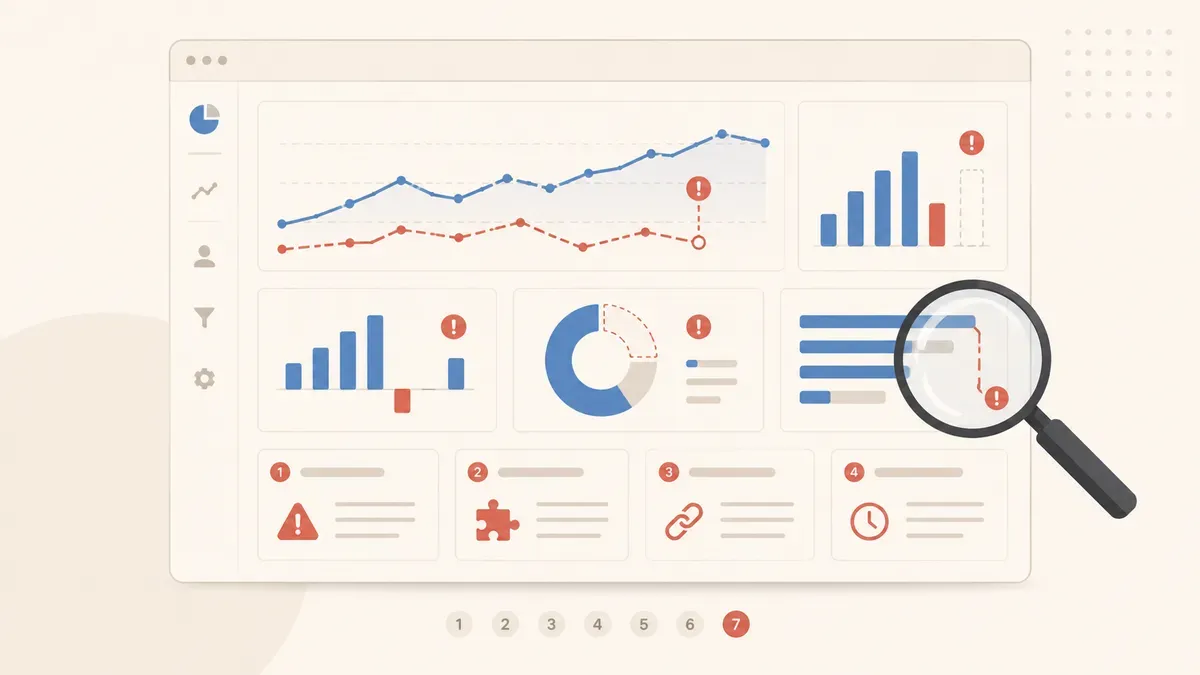
Your GA4 dashboard looks clean. Sessions, events, conversions – all there. But what if 20 to 40 percent of your conversion data is missing without you noticing? Ad blockers, Safari ITP, Firefox ETP, and cookie restrictions ensure that a growing share of your users stays invisible. Your tracking setup delivers a distorted picture, and you make decisions based on incomplete data.
Server-side tracking (SST) solves this problem by moving data processing from the browser to your own server. Instead of dozens of JavaScript tags in the browser, a single request goes to your first-party endpoint. The server then decides which data goes where. This article explains how SST works, what it costs, and when the switch pays off for you.
Your tracking loses up to 40% of your data
with client-side tracking
after SST migration
cookieless (Safari + Firefox)
How client-side tracking works – and where it fails
With classic client-side tracking, you load JavaScript tags directly in your visitors' browsers. Each tag – Google Analytics, Meta Pixel, TikTok Pixel – creates its own HTTP request from the user's browser to the respective provider. Google Tag Manager orchestrates this: it loads tags based on triggers and consent status.
This model worked for years. But the weaknesses are now structural:
- Ad blockers. 1.77 billion users worldwide use ad blockers. They don't just block ads – they also block tracking requests to google-analytics.com, facebook.com, and similar domains. Your GA4 tag fires in the browser, but the request never gets sent.
- Safari ITP. Apple's Intelligent Tracking Prevention has blocked third-party cookies completely since 2020 and limits first-party cookies to 7 days (for JavaScript-set cookies, just 24 hours). A user who visits your site on Monday and buys on Friday is invisible to your tracking.
- Firefox ETP. Enhanced Tracking Protection blocks third-party cookies and known trackers by default. Same effect as ITP, different browser.
- Performance. 82 percent of all tags in a typical GTM container are advertising tags. Each one creates a separate HTTP request, loads its own JavaScript, and potentially blocks rendering. A page that loads in one second converts three times better than one that takes five seconds.
How server-side tracking works
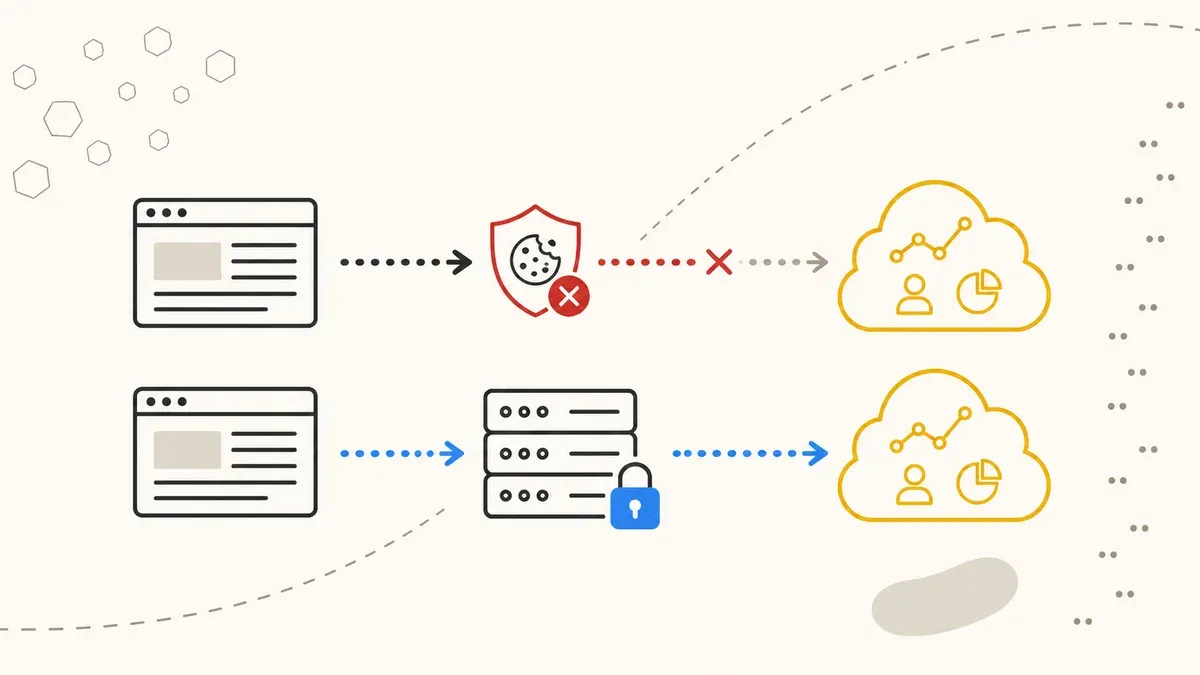
Think of server-side tracking as an interpreter. Instead of each service (Google, Meta, TikTok) communicating directly with your visitor, all communication runs through your own server.
The architecture in detail:
- Browser sends one request. Your GA4 tag or a lean data layer sends data not to google-analytics.com, but to your own first-party endpoint – e.g.,
sst.yourdomain.com. - sGTM processes. Your server runs the Server-Side Google Tag Manager (sGTM). It receives the request, checks consent status, and decides which data gets forwarded where.
- Targeted forwarding. The sGTM sends data as server-to-server requests to Google Analytics, the Meta Conversions API, Google Ads Enhanced Conversions, or other endpoints. No JavaScript in the browser, no blockable third-party request.
The key difference: the request to your first-party endpoint is indistinguishable from a normal page request for ad blockers. It comes from your own domain, uses first-party cookies, and looks like a regular API call. Safari ITP and Firefox ETP are far less aggressive with first-party requests.
Data loss: client-side vs. server-side
The numbers paint a clear picture. Here you can see what share of your tracking data gets lost through various blockers – and what remains after switching to SST.
Third-party cookie blocking by browser
Safari and Firefox together account for roughly 50 percent of the European web. That means half of your visitors deliver no or only limited data with pure client-side tracking. Add 30 to 40 percent ad blocker users – with overlaps, but total loss typically sits at 20 to 40 percent.
Conversion capture comparison
After migrating to server-side tracking, data quality improves by an average of 41 percent. Not because you track more users – you track the same users but lose less data along the way.
Conversion APIs: Meta CAPI, Google Enhanced Conversions, and more
Server-side tracking reaches its full potential when combined with the conversion APIs of advertising platforms. These APIs replace (or supplement) classic browser pixels with server-to-server communication.
| Feature | Client-side pixel | Server-side + CAPI |
|---|---|---|
| Data path | Browser → platform | Browser → your server → platform |
| Ad blocker resistant | No | Yes |
| Match rate Meta | 60 – 70% | ~90% |
| Match rate Google Ads | 70 – 80% | ~95% |
| PII hashing | In browser (manipulable) | On your server (controlled) |
| Cookie lifespan | 7 days (Safari ITP) | Up to 2 years (first-party) |
| Deduplication | Error-prone | Event ID server-side |
Meta CAPI sends conversion events (Purchase, Lead, AddToCart) as server-to-server requests to Meta. The sGTM automatically hashes personally identifiable data like email and phone number before it leaves your system. Match rate rises from 60 – 70 percent to around 90 percent because Meta can match the hashed data against its own user profiles.
Google Enhanced Conversions works similarly: hashed first-party data (email, name, address) goes server-side to Google Ads. Google uses this data to attribute conversions to users who deleted cookies or switched browsers.
TikTok Events API follows the same logic. All three APIs require proper PII hashing – and that is far more reliable server-side than in the browser, where users can install extensions that manipulate the hash.
GDPR: SST is not a free pass
A common misconception: server-side tracking automatically makes you GDPR compliant. It doesn't. The consent requirement remains. You still need a cookie banner, still need user consent, and you still cannot process personal data without a legal basis.
What SST gives you is control. At three specific points:
- Filter and hash PII. Before data leaves your system, you can remove, anonymize, or hash personally identifiable information in the sGTM. With client-side tracking, raw data leaves the browser directly toward Google or Meta – you have no influence over what arrives there.
- Check consent server-side. The sGTM can receive the user's consent status as a parameter and only fire tags when consent is present. This is more reliable than client-side checking, where consent management platforms and tag managers sometimes produce race conditions.
- Document data flows. You can see in sGTM logs exactly which data was sent to which endpoint. This transparency helps with GDPR documentation requirements and in case of a request from a supervisory authority.
The technical infrastructure should ideally be located in the EU. Google Cloud Run offers locations in Belgium, Frankfurt, and the Netherlands. Stape.io and Addingwell operate European servers. JENTIS includes hosting in Austria.
Cost comparison: sGTM hosting providers
The costs for server-side tracking depend on the provider and your traffic volume. Here is an overview of the most common options:
| Provider | Entry price | Enterprise | Key feature |
|---|---|---|---|
| Stape.io | from EUR 20/month | ~EUR 167 (20M req.) | Cheapest entry, UI for sGTM |
| Addingwell | from EUR 90/month | on request | EU focus, consent mode built in |
| Google Cloud Run | from EUR 120/month | EUR 250 – 300 | Full control, own infrastructure |
| JENTIS | from EUR 499/month | on request | Premium privacy, AT hosting |
| Piwik PRO | free | on request | Up to 500K actions/month free |
For most SMBs, Stape.io is the most pragmatic entry point. You get a managed sGTM instance with European hosting from EUR 20 per month. Google Cloud Run offers more control but requires technical know-how for setup and maintenance. JENTIS is worth it for companies with strict privacy requirements and a budget that supports premium pricing.
Compared to the potential data loss, the costs are manageable. If you invest EUR 5,000 monthly in Meta Ads and 30 percent of your conversions go unrecorded, the algorithm optimizes on a distorted data base. The result: higher CPA, worse audiences, wasted budget. The EUR 20 to 120 for sGTM hosting pays for itself from the first month.
When does the switch to server-side tracking pay off?
SST is not a must for every website. A local blog without advertising doesn't need server-side tracking. But as soon as you invest ad budget and make data-driven decisions, the data loss from client-side tracking becomes a problem.
The switch pays off when at least two of these points apply to you:
- Ad budget over EUR 2,000 per month. The more you spend, the more expensive each lost conversion becomes. At EUR 2,000 monthly budget and 30 percent data loss, you effectively waste EUR 600 on wrong optimization.
- More than 50,000 sessions per month. Above this volume, statistical distortions from missing data become relevant. For smaller sites, GA4 can still model the gaps reasonably well.
- Multi-channel advertising. If you run Meta Ads, Google Ads, and TikTok Ads in parallel, you need clean attribution data. Without SST, you only see a fraction of cross-channel journeys.
- Strict GDPR requirements. If you work in regulated industries (financial services, healthcare, e-commerce with sensitive data), SST gives you the data flow control you need for compliance.
- High Safari/Firefox share. Check in GA4 under Tech > Browser how high your Safari and Firefox share is. Above 40 percent, you lose significant data with client-side tracking.
Conclusion: more data, better decisions
Client-side tracking was the standard as long as browsers cooperated. That era is over. Safari has been blocking since 2020, Firefox follows suit, ad blockers are installed for nearly 40 percent of users. Your GA4 dashboard shows a picture that is missing 20 to 40 percent of reality.
Server-side tracking closes this gap. Not by tracking more users, but by capturing the data of users who consented more reliably. The conversion APIs from Meta, Google, and TikTok need server-side data to achieve their match rates. And the GDPR control over your data flow is only possible when data passes through your server first.
Getting started is possible with providers like Stape.io from EUR 20 per month. The setup requires expertise in the tracking domain – configuring sGTM containers, connecting conversion APIs, implementing consent logic – but the ROI shows immediately in better data and more precise ad optimization.
Server-side tracking for your setup?
We set up your sGTM container, connect Meta CAPI and Google Enhanced Conversions, and ensure your consent setup is passed through GDPR-compliantly.
Free initial consultation →