Landing Pages That Convert: Anatomy of an 8% Conversion Rate
6.6% median CR, 13.5% with single CTA, -7% per second of load time. The anatomy of a landing page that converts at 8% – with A/B test data, form benchmarks, and the five mistakes that kill every CR.
Most landing pages convert below 3%. The cross-industry median sits at 6.6% according to an Unbounce study covering 464 million visits. SaaS pages average 3.8%, e-commerce 4.3%, B2B service providers often just 1 to 3%. The top 10% of performers hit 11.45% and above. An 8% conversion rate falls between the top quartile and median. Ambitious, but reachable.
This article breaks down the anatomy of a landing page that hits 8%. Every section is backed by A/B test data and studies with five-figure sample sizes. You get numbers, not opinions. And if your entire website is not converting, not just individual landing pages, start with our conversion audit guide.
Most landing pages
stay below 3%
across industries
vs. 10.5% for multi-CTA
of additional load time
The Hero Section: What Must Be Above the Fold
The hero section decides whether a visitor stays or bounces. Eye-tracking studies confirm a sharp attention drop-off at the fold. What is not visible above the fold never gets seen by the majority. HubSpot analyzed over 40,000 landing pages and found: key CTAs above the fold increase conversion rates by 30%.
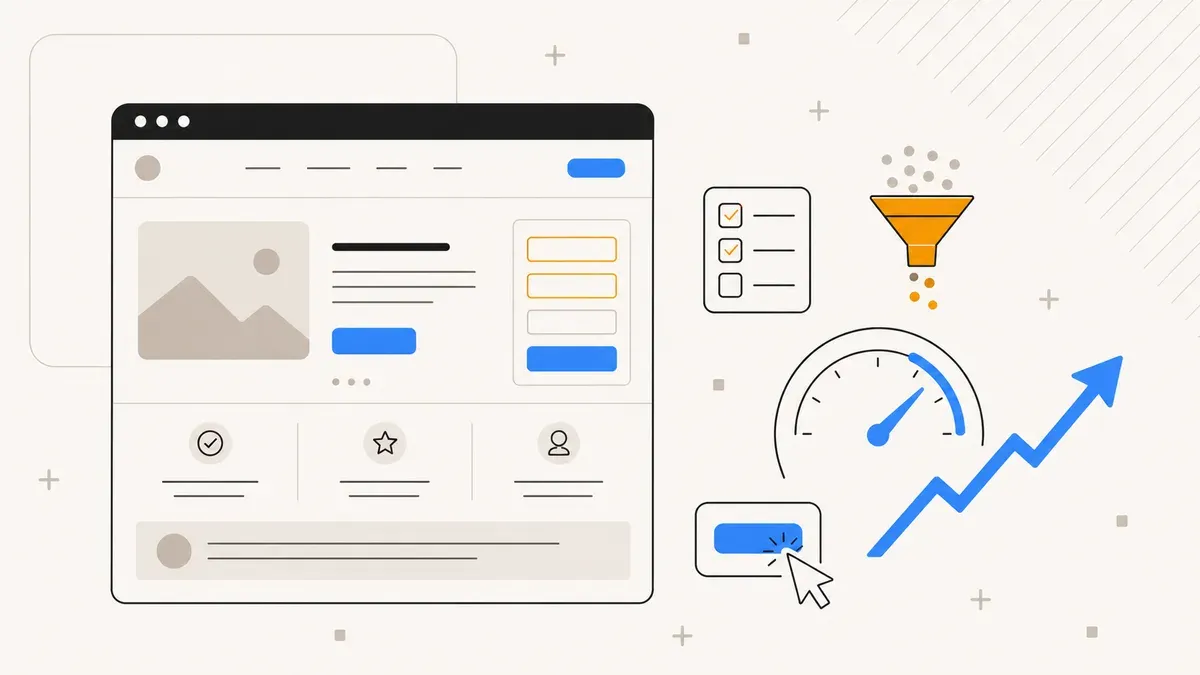
A hero section that converts has exactly four elements:
- Headline. One sentence that communicates the specific benefit. Not your product, not your company. The benefit for the visitor. "Double your qualified leads in 30 days" beats "Our marketing software" in every A/B test.
- Subheadline. One to two sentences that support the headline. This is where you explain how you deliver on the promise. Keep it short.
- Hero shot. An image or video showing your product in use. Not a stock photo of smiling business people. A screenshot, a product photo, a short demo video.
- One single CTA. Not two. Not three. One. More on this in the next section.
What does not belong in the hero section: navigation. Exit links. Anything that leads the visitor away from the page. A landing page is not a website menu. Every link that does not lead to the CTA is a leak in your funnel.
CTA Optimization: What A/B Tests Reveal
The call-to-action is the element with the biggest lever on a landing page. Small changes to CTA copy, placement, and design produce measurable differences. Here are the numbers:
First person beats second person. "Start my free trial" converts 10 to 90% better than "Start your free trial" or "Get started". The visitor identifies more strongly with the action when it is phrased in their own voice.
Color contrast matters more than color psychology. Forget the theory that green buttons convert better than red ones. What counts is the contrast against the surrounding design. One test showed +214% cart additions when switching from a grey button to an orange one. Not because orange is a magic color, but because it stood out from the rest of the page.
High-agency verbs work. "Claim", "Unlock", "Start" convert 27% better than passive phrases like "Submit" or "Continue". Verbs that signal control and outcome to the visitor.
One CTA per page. Single-CTA pages convert at 13.5%, multi-CTA pages at 10.5%. Every additional option creates decision stress. This is not speculation. It is choice paralysis, well documented in behavioral economics. Above-the-fold CTAs get 89% more clicks than CTAs further down.
Social Proof That Actually Converts
92% of consumers read testimonials before making a purchase decision. But only 23% of marketers use them on landing pages. That gap is an opportunity. The data shows which forms of social proof have the strongest impact:
- Video testimonials: +80% conversion rate. A short video of a satisfied customer with name and context beats any text quote.
- Named customer count: +22%. "Over 3,500 companies use our solution" is more concrete than "Many companies trust us".
- Single testimonial card: +14%. A highlighted quote with photo, name, and title works better than three generic quotes in a row.
- Logo strip: +8%. Known customer logos below the hero section. Works especially well in B2B.
- Job title on testimonials: +18.7%. "Sarah M., Head of Marketing at TechCo" is more credible than "Sarah M.".
The most important rule: social proof must be specific. "Great product!" is not social proof. "We increased our conversion rate from 2.1% to 7.3% in 6 weeks" is. The more concrete the outcome, the stronger the effect.
If you need a solid follow-up flow after the landing page to qualify leads, read our article on email automation for SMBs.
Forms: Fewer Fields, More Leads
The number of form fields correlates directly with conversion rate. More fields mean more effort for the visitor and more drop-offs. The data is clear:
| Number of Fields | Conversion Rate | Change |
|---|---|---|
| 3 fields | 10.1% | Baseline |
| 5 fields | 7.6% | -25% |
| 6 fields | 5.8% | -43% |
| 9 fields | 3.6% | -64% |
Going from 3 to 9 fields cuts the conversion rate by almost two thirds. The question is not which data you want. The question is which data you need at the point of first conversion.
For most B2B landing pages, three fields are enough: name, email, company. Phone number, budget, team size, and project details can be collected afterwards, through an automated email sequence or during the initial call.
On mobile devices, the field count becomes even more critical. Autofill-optimized forms convert 24% better on mobile. That means: correct autocomplete attributes for name, email, phone, and address. Browsers and operating systems can then pre-fill the data with a single tap instead of forcing the visitor to type.
Mobile: 65% of Traffic, 2.8% Conversion Rate
This is one of the biggest opportunities. 65% of landing page traffic comes from mobile devices. But mobile converts at only 2.8% compared to 4.8% on desktop. That 2 percentage point gap, multiplied by your traffic volume, translates to real money left on the table.
The most common problems on mobile landing pages:
- Load time. 53% of mobile users abandon if a page takes longer than 3 seconds to load. Every additional second costs 7% conversion rate. Compress images, minimize JavaScript, inline critical CSS.
- CTA not visible. On desktop, the CTA button sits above the fold. On a smartphone, it disappears behind three paragraphs of text. The CTA must be immediately visible on mobile, without scrolling.
- Forms not touch-optimized. Input fields under 48px height, no numeric keyboard for ZIP codes, no autofill. All friction points invisible on desktop.
- Buttons too small. Touch targets under 44x44px cause mis-taps and frustration. Apple and Google recommend at least 48px.
- Horizontal scrolling. Tables, images, or embedded elements extending beyond the viewport. Fatal for mobile UX.
Test your landing page on a real smartphone. Not in Chrome DevTools, but on a physical device. DevTools do not simulate real network latency, touch interactions, or keyboard overlays. If you segment your tracking data by device, you will see where mobile visitors drop off.
The 5 Mistakes That Kill Every Conversion Rate
Before you optimize, plug the biggest leaks. These five mistakes appear on most landing pages converting below 3%:
1. Navigation on the landing page. A main menu on a landing page is an exit, not a feature. Every link in the header gives the visitor a reason to leave without converting. The fix: remove navigation. A landing page has exactly one goal, and every element serves that goal.
2. Vague headlines. "The solution for your business" says nothing. "35% more qualified leads in 60 days" says everything. Specific numbers and concrete promises beat generic claims in every split test. If you do not know what promise to make, you have a positioning problem, not a landing page problem.
3. Too many CTAs. "Free trial", "Book a demo", "Download whitepaper", "Subscribe to newsletter" on one page. That is not a selection, it is overload. Choice paralysis: when the decision is too complex, the visitor takes the easiest option, which is closing the tab. One goal, one CTA.
4. Slow load time. Every second of delay costs 7% conversion rate. At 3 seconds of load time, you have already lost 21% before the visitor has even read the headline. Optimize images, remove unnecessary scripts, use a CDN. For custom builds on Astro or Next.js, this is easier than on page builders that ship 2 MB of JavaScript.
5. No social proof. A landing page without testimonials, customer counts, or logos asks the visitor for blind trust. That works for Apple, but not for an SMB the visitor has never heard of. At minimum, one testimonial, one customer count, or one logo strip belongs on the page. The data from the social proof section above shows how much it matters.
Tool Comparison: How to Build Landing Pages
Your choice of tool determines what you can test and optimize. Here is a comparison of the most common options:
| Tool | Price/Month | Strength | Weakness |
|---|---|---|---|
| Unbounce | from $99 | Smart Traffic AI (+20-30% CR) | Expensive for small teams |
| Leadpages | from $49 | Beginner-friendly | Fewer A/B test options |
| Instapage | from $199 | Ad personalization | High price point |
| Custom (Astro/Next.js) | Hosting costs | Full control, performance | DIY A/B testing required |
Unbounce is the market leader for A/B testing. Its Smart Traffic AI automatically routes traffic to the highest-converting variant and delivers 20 to 30% more conversions according to Unbounce. For SMBs with budget constraints, Leadpages is a solid alternative.
Custom builds on Astro or Next.js give you full control over performance, design, and data ownership. No SaaS subscription, no template constraints. The trade-off: you need to implement A/B testing yourself or use tools like VWO or Convert. If you are building a funnel that extends beyond a single landing page, a custom build is often the better choice.
The Checklist: 8% in 7 Steps
To close, the summary as a checklist. If your landing page checks all seven boxes, you are in the top quartile:
- Hero section with one CTA above the fold. Headline, subheadline, hero shot, one button.
- CTA in first person with a high-agency verb. "Start my free audit" instead of "Submit".
- CTA button with maximum color contrast. Not the brand favorite, but the color that deviates most from the rest.
- Social proof with names, titles, and concrete numbers. Video testimonials if possible, otherwise testimonial cards with photo.
- Maximum 3 form fields. Name, email, one qualifying field. Everything else comes later.
- Load time under 3 seconds. On mobile, not just on desktop with office Wi-Fi.
- No navigation, no exit links. Every click leads to the CTA or keeps the visitor on the page.
An 8% conversion rate is not luck. It is the result of decisions made on the basis of data. If you need help with implementation, whether it is a complete funnel or optimization of your existing landing pages, get in touch. And do not forget to set up your tracking properly, otherwise you will never know if your optimizations are working.
Landing page that converts?
We build you a landing page with the anatomy of an 8% page. Or we optimize your existing one. 30-minute consultation, free.
Request conversion consultation →